Is your website just sitting there, collecting dust? You’re a pro at your job—fixing heaters, clearing land, or installing septic systems—but this whole “website thing” feels like a giant headache. Let’s fix that. Your website shouldn’t just be an online business card; it should be your #1 employee, working 24/7 to bring you new jobs.
This guide will show you 8 super simple website design tips for small business owners like you. No confusing tech talk, we promise. We’ll show you how to turn your website into a lead machine that grabs local customers searching for your skills on Google. You’ll learn how to make your site work great on phones, get more 5-star reviews, and show up when people search for your services. You can even use cool tools like Framer to build a site that gets the job done.
These are simple steps you can take right now to get your phone ringing more often with the right kind of customers. You can totally do this, and it’s way easier than you think. Let’s get started and turn your website into your best salesperson. And if you get stuck, we’re here to help!
1. Make Your Site Look Great on a Phone
Ever tried to find a plumber on your phone in a hurry? Your customers do it all the time. A “mobile-first” website means it’s built to look awesome on a tiny phone screen first, and then on a big computer screen. This is a huge deal because your customers are usually looking for you when they’re out and about.
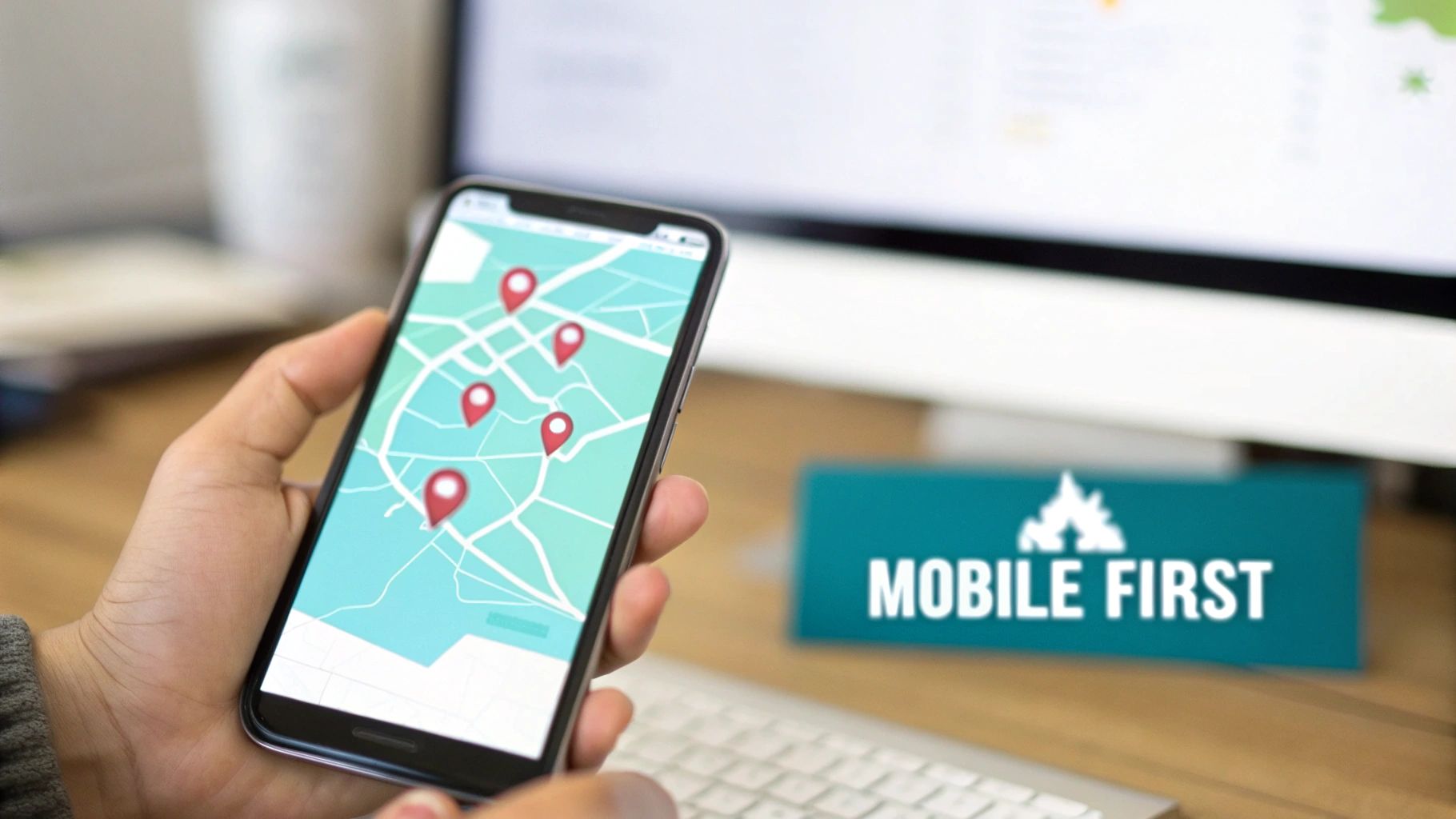
Most people search on their phones. If your site is a mess on mobile, you’re losing jobs. Simple as that. A good mobile site puts your phone number and service areas right where people can see them, turning your website into a lead machine right in their pocket. Plus, Google loves mobile-friendly sites, which helps you show up higher in searches (that’s local SEO!).
How to Make Your Mobile Site a Money-Maker
Getting this right is easy and means more calls for you. You want to make it crazy simple for someone on a phone to call you. Check out these website design best practices to see how a great mobile site can change everything.
Here are some simple things you can do today:
- Test Your “Call Now” Buttons: This is your money button. Seriously. Use your own phone and click every single call button. If it doesn’t work, you’re literally losing jobs.
- Make Forms Short & Sweet: Nobody wants to type a novel on their phone. Just ask for a name and phone number. That’s it.
- Use Big, Easy-to-Read Words: Don’t make people squint. Use a big font size so they can easily read about how awesome you are.
- Have a “Sticky” Header: This is a bar that stays at the top of the screen when you scroll. Put your phone number there so people can call you from any page. It’s like having a “call me” sign taped to their screen.
- Make Your City Pages Look Good: If you work in different towns, make sure each page for those towns looks great on a phone.

2. Create Pages for Every Town You Serve
Imagine you’re fishing. Would you just throw one big net out and hope for the best? Or would you put bait right where you know the fish are? City pages are like putting bait in every single town you want to work in. Instead of one “Services” page, you create a special page for each town.
This is a secret weapon for local SEO. When someone in “Springfield” searches for “septic repair in Springfield,” Google wants to show them a local expert. A page just for Springfield tells Google, “Hey! We’re the pros in this town!” This is how you build a website lead machine that pulls in jobs from everywhere you want to work. It’s a key part of local SEO and even helps your Google Ads and Facebook Ads work better.
How to Make City Pages That Get You Jobs
Making these pages helps you show up all over the map and get more calls. The idea is to be the go-to expert in every town. You can see how powerful these are by looking at these contractor city pages.
Here’s how to do it right:
- Don’t Just Copy and Paste: Each city page needs to be a little different. Mention a job you did in that town or a local landmark. Google hates copycats.
- Show Them a Map: Put a small map on each page showing that you work there. It makes people feel confident you’re their local guy.
- Use Local Reviews: Got a 5-star review from someone in that town? Put it on that city’s page! A review from a neighbor is super powerful.
- Name Your Pages Smartly: Your page title should be something like: “Expert Land Clearing in [City Name], [State] | Your Company.”
- Use Some “Secret Code” (Schema): This is a little bit of code that tells Google important info about your business for that town. Don’t worry, it’s simple to add, and we can help you with it.
- Link Your Pages Together: Make sure your main “Services” page links to all your city pages, and they link back. It helps Google understand how your site is set up.
3. Make It Stupidly Easy to Call You
On your website, a visitor is just looking. A ringing phone is a paying customer. Your website’s #1 job is to make it super, duper easy for people to call you or send you their info. This is where big, bright “Click-to-Call” buttons and simple forms come in. They turn your website into a lead machine.

Think about it: when someone’s basement is flooding, they’re not browsing. They’re calling the first person who looks like they can help. If you have a giant “Call Now” button at the top of your site, you’ll be their first call. This is one of the best website design tips for a small business that wants more jobs, not just website visitors.
How to Make Your Phone Ring Off the Hook
Your goal is to remove any and all reasons someone might not call you. This is all about making it easy for them to become a lead. It’s a big part of what is Conversion Rate Optimization. You can learn how to turn your website into a lead machine and watch what happens!
Here are some easy steps to take:
- Put a “Call Now” Button Everywhere: Put one at the top of every page. Put one next to your services. Put one next to your reviews. You can’t have too many!
- Use Bright Colors: Make your call buttons green, orange, or another color that screams “CLICK ME!” You want it to be impossible to miss.
- Keep Forms Short: Just ask for a name and phone number. That’s it! You can get all the other details when you call them back. The more boxes they have to fill, the less likely they are to finish.
- Add “Trust Text”: Near your buttons, add a little note like “Don’t worry, we’ll never share your info.” It makes people feel safe.
- Track Your Calls: Use a simple tool to see which pages are making your phone ring the most. Then you can do more of what’s working! This is huge for Google Ads and Facebook Ads, too.
- Ditch Annoying Robot Tests: You know those “click all the pictures with a bus” things? People hate them. There are better ways to block spam that don’t annoy real customers.
4. Show Off Your 5-Star Reviews
Would you hire someone without checking their reviews? Nope. And neither will your customers. Reviews, especially 5-star reviews, are like a digital thumbs-up that tells people you’re the real deal. They make people feel safe hiring you.

For your business, trust is everything. Before someone spends their hard-earned money, they want to know you do a great job. Putting your best reviews right on your website answers their biggest question: “Can I trust these guys?” This simple trick helps turn your website into a lead machine because it makes people confident enough to call you. 5-star review generation is key!
How to Use Reviews to Get More Leads
Building trust is easy—just show off the awesome work you already do! Your goal is to make people feel so good about hiring you that calling is a no-brainer. These online reputation management tips can help you become the most trusted name in town.
Here are some simple steps you can take:
- Put Your Best Reviews Front and Center: Don’t hide your best reviews on some forgotten page. Put them right on your homepage where everyone can see them.
- Get Detailed Reviews: A review that says “Good job” is nice. A review that says “They fixed my septic system in one day and saved me from a disaster!” is a lead-generating powerhouse. Ask customers for the details!
- Add Pictures to Reviews: If you can, put a picture of the finished job next to the review. It makes it feel 100% real.
- Ask for Reviews: Don’t just wait for them. After every job, send a quick text or email with a link asking for a review on your Google Business Profile. Make it easy for them!
- Put Local Reviews on Your City Pages: If you have a page for “Springfield,” put reviews from your customers in Springfield on that page. It shows people you’re their trusted local pro.
5. Make Your Website Super Fast
Have you ever clicked on a website and just… waited? And waited? If a site takes too long to load, you probably leave. Your customers do the same thing. A slow website is a lead killer, plain and simple.
If your website takes more than 3 seconds to load, almost half of your visitors will disappear. Poof! Gone. Google knows this, so they reward fast websites with better rankings in search results. A faster website keeps people around and helps your local SEO, making it one of the most important website design tips for a small business.
How to Speed Up Your Site Without Being a Tech Genius
Making your site faster is a simple way to stop losing customers to your competition. The goal is to get your info in front of them almost instantly. Think of it like answering the phone on the first ring—it just feels better!
Here are some easy things you can do:
- Test Your Speed for Free: Use Google’s PageSpeed Insights tool. It will give you a score and tell you exactly what’s slowing you down in plain English.
- Shrink Your Pictures: Big pictures are the #1 reason for slow websites. Before you upload photos of your work, use a free tool like TinyPNG to make them smaller. It’s like magic!
- Get Good Hosting: Super cheap website hosting is often slow. Paying a little more for good hosting is an investment that will get you more leads.
- Clean Out Old Junk: If your website uses plugins, get rid of any you aren’t using. It’s like cleaning out the junk from your truck—it just runs better afterward.
- Use “Lazy Loading”: This just means pictures on your site won’t load until someone scrolls down to them. It makes the top of your page load way faster.
6. Tell People Exactly Why They Should Hire YOU
When someone lands on your website, you have about 5 seconds to convince them to stick around. Your headline is your big chance. It needs to answer their #1 question: “Why should I hire you instead of the other guy?” It’s not about what you do; it’s about the awesome result they get.
A boring headline like “Septic Services” doesn’t get anyone excited. But a powerful headline like “Get Your Septic System Fixed in 24 Hours, Guaranteed” grabs their attention. This little change turns your boring website into a lead machine that sells your services for you. This is also super important for your Google Ads and Facebook Ads!
How to Write Headlines That Get You Hired
Writing a great headline is one of the easiest website design tips for a small business to get more leads. Your goal is to make people think, “Finally! This is the company I need to call.” You can do this right now!
Here are some simple tricks:
- Focus on the Result: Instead of “HVAC Repair,” try “Get Your Heat Back On In Hours, Not Days.” You’re selling comfort, not just a repair.
- Use Timeframes: Promises like “Same-Day Service” or “Get a Free Quote in 10 Minutes” make people feel like you value their time.
- Solve Their Pain: If your customers are usually stressed (like a flooded basement), use a headline that promises relief: “Stop the Water Damage Fast. We’re on Our Way.”
- Mention Your Town: Add your main city or county to the headline, like “The Most Trusted Land Clearers in Wake County.” It tells them you’re local.
- Try Different Headlines: Don’t be afraid to experiment! See which headlines work best for your Google Ads traffic versus your regular website visitors. It’s a simple way to get more calls without spending more money.
7. Create a Page for Every Single Service You Offer
Imagine someone is searching for “land clearing in Chester County.” If your website just has one generic “Services” page that lists land clearing with ten other things, you might get skipped. A specific page for each service is like telling Google, “Hey! We are the absolute experts at land clearing right here in this town.”
This just means making a separate page for each thing you do, like excavation, septic installation, or HVAC repair. Each page is all about that one service and is set up to show up in local searches. This is one of the most powerful website design tips for a small business because it turns your site into a highly-targeted lead machine, catching customers who know exactly what they want.
How to Make Service Pages That Win Jobs
Your goal is to be the obvious choice for everything you do. When someone lands on your “Excavation” page, they should know you live and breathe excavation. This builds huge trust and helps your local SEO.
Here are some simple steps to take:
- Give Each Page a Clear Name: The web address should be simple, like
yourcompany.com/excavation. - Explain What You Do: Don’t just list the service. Write a few paragraphs explaining how you do it, what tools you use, and why you’re the best.
- Show, Don’t Just Tell: Put before-and-after photos or short videos of that specific service on the page. If it’s a land clearing page, show pictures of cleared land!
- Answer Common Questions: Add a small Q&A section. For an excavation page, you could answer, “How deep can you dig?” or “Do I need a permit?”
- Use Relevant Reviews: Put reviews from customers who used that exact service on the page. A great review about your excavation work is most powerful on the excavation page.
- Name Your Pictures: Name your photo files with the service and town, like “land-clearing-chester-county-pa.jpg”. It’s an easy local SEO win!
8. Master Your Google Business Profile
Think of your Google Business Profile as your giant, free billboard on Google and Google Maps. When someone searches “plumber near me,” the businesses that pop up in that little map box at the top have awesome Google profiles. This free tool is your best friend for local SEO.
Your Google profile tells Google you’re a real, active business that locals can trust. When you fill it out completely with lots of photos, 5-star reviews, and updates, you can dominate the map results. This helps you get high-quality leads before people even click on your website, turning your business into a local lead machine.
How to Make Your Google Profile a Lead-Generating Monster
Getting this right is easier than you think and leads directly to more phone calls. The goal is to give Google everything it needs to recommend you to people in your area. You can learn exactly how to optimize a Google Business Profile and start getting more leads today.
Here are some simple things you can do right now:
- Fill Out Everything: Don’t leave any part of your profile blank. Fill out your business name, services, phone number, website, hours—everything!
- Draw Your Service Area on the Map: Don’t just list your address. Go into your profile and draw a circle around all the towns and counties you serve.
- Be Consistent: Your business Name, Address, and Phone number (NAP) should be exactly the same everywhere online—on your website, on Google, everywhere.
- Upload Lots of Pictures: Add at least 20 photos. Show your team, your trucks, and before-and-after shots of your best work. This proves you’re a real business.
- Post Updates Every Week: Use the “Posts” feature to share quick updates, photos from a recent job, or special offers. It shows Google you’re active and open for business.
8-Point Small Business Website Design Comparison
| Strategy | Implementation Complexity 🔄 | Resource Requirements ⚡ | Expected Outcomes ⭐ | Key Advantages 📊 | Ideal Use Cases 💡 |
|---|---|---|---|---|---|
| Mobile-First Responsive Design for Service Area Mapping | Medium–High; requires iterative mobile-first UI/UX and cross-device testing | Moderate; front-end dev, responsive assets, device testing | ⭐⭐⭐⭐ — improved mobile SEO & lead capture, lower bounce | Interactive mobile maps, click-to-call visibility, better mobile indexing | Contractors with high mobile traffic, on-site searches, emergency services |
| Strategic City Page Architecture for Multi-City Service Expansion | High; large-scale page creation, canonicalization, internal linking | High; content production (10–100 pages), SEO management, ongoing updates | ⭐⭐⭐⭐ — dominates “service + city” queries; scalable organic leads | Localized pages per city, targeted keywords, scalable regional reach | Regional contractors expanding across many cities/counties |
| Phone & Lead Capture Optimization: Click-to-Call & Forms | Low–Medium; UI placement, tracking and CRM integration | Low–Moderate; call-tracking, CRM, phone capacity | ⭐⭐⭐⭐⭐ — strong uplift in phone leads and conversion rates | Instant calls, high CVR, attribution via call-tracking | Mobile-first sites; contractors who convert primarily by phone |
| Trust Signals: Reviews, Testimonials, Built-In Review Systems | Medium; integrate widgets, workflows for review collection | Moderate; review management, outreach processes, content curation | ⭐⭐⭐⭐⭐ — significant conversion lift and local credibility | Social proof, schema for stars, authentic testimonials & case studies | High‑ticket services, new-market entries, reputation-sensitive industries |
| Fast Loading Speed & Core Web Vitals Optimization | Medium–High; requires technical audits and ongoing tuning | Moderate–High; dev time, CDN, performance tools, hosting upgrades | ⭐⭐⭐⭐ — reduced bounce, better rankings, improved mobile UX | Faster pages, better Core Web Vitals, improved retention & SEO | Media-rich sites, mobile users on slow networks, SEO-focused properties |
| Clear Value Proposition & Benefit-Focused Headline Copy | Low; strategic messaging and A/B testing | Low; copywriter, conversion testing tools | ⭐⭐⭐⭐ — immediate engagement lift; lower bounce, higher conversions | Clear differentiation, faster visitor qualification, better ad relevance | Any contractor site aiming to improve immediate conversion |
| Service-Specific Landing Pages with Local SEO Optimization | High; many focused pages, schema, internal linking | High; service copy, images, FAQs, schema per page | ⭐⭐⭐⭐ — improved rankings for service+location queries | Precise intent targeting, better quality scores, detailed service info | Multi-service contractors targeting many locations (matrix approach) |
| Local SEO Technical Foundation: Google Business Profile & Schema | Medium; GBP setup, structured data implementation & maintenance | Low–Moderate; time for GBP, photos, schema markup, verification | ⭐⭐⭐⭐⭐ — essential for Maps pack; strong local visibility and clicks | Maps pack presence, rich snippets, GBP analytics & free exposure | All local contractors; highest priority for local discovery and leads |
Ready to Get More Calls? It’s Go Time!
See? Building a website that actually gets you leads isn’t rocket science. It’s about creating a simple, powerful tool that does one thing really, really well: makes your phone ring with new jobs.
Think of your website like your favorite power tool. It needs to work every single time and make your job easier. A pretty website that doesn’t get you leads is like a brand-new truck with no engine. It looks cool, but it’s not making you a dime.
Your Simple Plan for a Lead-Generating Website
Let’s quickly go over the plan. These aren’t just random “website design tips for small business”; this is the recipe for a true lead machine.
- Build for Phones First: Your customers are on their phones, looking for help right now. Make it so they can find your number and call you in two seconds.
- Own Your Hometown (and the Next Town Over): Stop being a hidden gem. With pages for every town you serve and good local SEO, you can show up everywhere you want to work.
- Make it Easy to Hire You: A clear phone number and simple forms tell people you’re ready to help. Make calling you the easiest thing they do all day.
- Show Them You’re the Best: Your 5-star reviews and job photos are proof you do great work. Show them off so people feel confident you’re the right choice.
Putting these simple pieces together turns your website from a dusty online flyer into an automatic salesperson that works for you 24/7. It finds customers, convinces them you’re the best, and sends them right to your phone.
Stop Being Invisible. Start Getting Calls.
You can be the best at what you do, but if your customers can’t find you online, it doesn’t matter. The good news is, you don’t have to figure this all out by yourself. You can do this, and we’re here to help you.
You just need to take the first step. By using these simple website design tips for your small business, you can finally have a website that works as hard as you do. It’s time to build a lead machine that brings great jobs straight to you. Your business deserves it.
Ready to turn your website into a powerful lead machine that dominates your local market? Pat and Angie at The Cherubini Company have been helping contractors do exactly that since 1998, focusing on proven strategies like city pages, 5-star review systems, and lead-focused design. Let’s work together to make your business impossible for your ideal customers to ignore.