“We’ve tried running ads and they didn’t work.”
“That’s what the other agencies said.”
“We’ve been burned before.”
If you’re a contractor, you’ve heard it all before. You’re tired of guessing with marketing. You just want more leads, but you don’t trust anyone who says they can get them.
The skepticism is earned. But the lead problem is real.
It’s caused by a lack of visibility. You are invisible when people look for you. You might be known in your hometown, but 10 miles away, you don’t show up when someone needs your service.
When a customer searches for “[your service] near me,” Google shows them results for “[your service] in [their current city].” You told Google you service your hometown. But you never told Google you work in all the other cities around you. So they assume you don’t. Why would Google show your business in a place you’ve never mentioned?
Websites do not create traffic. They sit and wait for it. A pretty website is like a billboard in the desert.
This guide explains the difference between a website and a Lead Machine. These aren’t just “best practices for landing pages.” They are the parts of a system built to get you found everywhere you work and turn that visibility into calls.
1. Crystal-Clear Value Proposition Above the Fold
The first thing a potential customer sees decides if they stay or leave. This area is called “above the fold.” It’s what they see before scrolling. If a visitor has to search for what you do and why they should choose you, you’ve already lost.
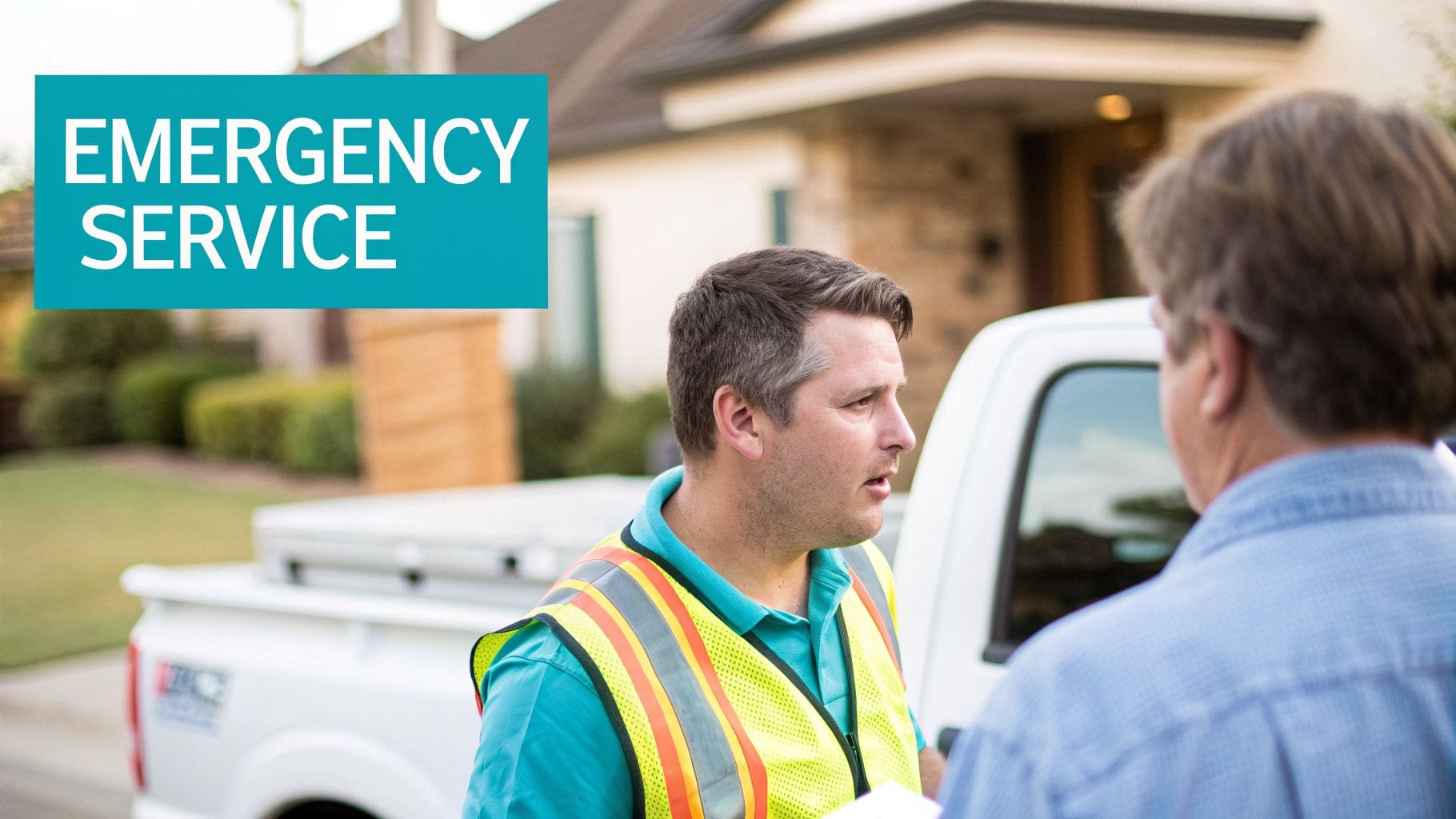
For a contractor, this isn’t about a clever slogan. It’s a direct promise. “Your Trusted Local Contractor” is vague and weak. “Emergency Septic Pumping in Polk and Osceola Counties” is a direct solution. It tells the visitor what you do and where you do it. This builds confidence that you are the right person for the job.
A customer searching for emergency help doesn’t care about your company’s history. They care about whether you can solve their problem right now, in their location. Your headline must confirm this instantly.
How to Implement This:
Your headline should be a magnet for the exact customer you want.
- Be Specific: Instead of “HVAC Services,” use “Same-Day AC Repair & Installation.”
- Include Your Service Area: Mentioning the cities or counties you serve immediately tells local customers you are a relevant option. This is a simple way to increase visibility.
- Use Power Words: If you offer it, say it. “Emergency,” “24/7,” “Licensed,” “Certified,” and “Same-Day” cut through the noise.
- Match Your Ad: The headline on your landing page must match the promise made in the Google Ad that brought them there. A mismatch creates confusion and wastes money.
2. Strategic Use of Social Proof and 5-Star Reviews
After your headline confirms you solve their problem, their next question is, “Are you any good?” This is where social proof comes in. It shows independent proof that you deliver quality work. Seeing that others have hired you and were happy gives a potential customer the confidence to call.

For a contractor, proof is everything. A landing page that says “We do great work” is an empty claim. A page that shows a 5-star Google review from a real customer provides tangible evidence. This is especially true when reviews are pulled from a source like your Google Business Profile. It signals authenticity you can’t fake. This turns a visitor into a lead.
People don’t trust what a company says about itself. They trust what other customers say. Your landing page must show, not just tell, them that you’re the right choice.
How to Implement This:
Social proof needs to be prominent, specific, and credible. Sprinkle it throughout your page to constantly reinforce a visitor’s decision.
- Display 5-Star Reviews Prominently: Place your best review right above the fold, near your main call-to-action button. Use a real customer’s first name and city to build credibility. “John from Cleveland” feels more authentic than “Customer.”
- Use Visual Proof: Before-and-after photos are undeniable proof for services like water damage restoration or land clearing.
- Showcase Google Business Profile Ratings: Integrating a Google review badge with your star rating provides instant, third-party validation. Learning how to get more Google reviews will strengthen your page’s credibility.
- Quantify Your Experience: Specific numbers build trust. “Trusted by 10,000+ homeowners” turns a vague claim into a concrete fact. For more insight on collecting these powerful testimonials, learn more about getting Google reviews.
3. Optimized Call-to-Action (CTA) Buttons with Clear Next Steps
A landing page gets a visitor’s attention. A powerful Call-to-Action (CTA) button turns that visitor into a paying customer. Many contractors lose leads because their website makes it hard to take the next step. The goal is a button so clear that a customer doesn’t have to think twice about clicking it.

For a contractor, the most valuable action is a phone call. Vague CTAs like “Learn More” or “Submit” create friction. An action-oriented CTA like “Call Now for Emergency Service” or “Get Your Free Quote” directly answers the visitor’s question, “what do I do next?”. Your CTA buttons must be easy to find and tell the customer exactly what will happen when they click. A well-designed CTA is a core part of a Lead Machine, not just a digital brochure.
A customer doesn’t land on your page to browse. They are there to solve a problem. Your CTA is the final step in confirming you are the one who can fix it for them.
How to Implement This:
Effective CTAs use language that motivates action. They are one of the most important best practices for landing pages that work.
- Prioritize a Phone Call: Place a “Click to Call” button in the header and make sure it’s visible above the fold on a mobile phone. This generates immediate leads.
- Use Action-Oriented Text: Your button text should promise a result. “Get My Free Estimate” performs better than “Request an Estimate.”
- Make Buttons Large and Contrasting: Use high-contrast colors like orange or red that stand out from your site’s background.
- Repeat Your CTA: A visitor shouldn’t have to scroll to contact you. Place a CTA button after every major section of your content.
- Offer a Secondary Option: For visitors not ready to call, a secondary CTA like “Request a Quote via Form” can capture leads you might otherwise lose.
4. Service-Specific City and Location Pages for Multi-Area Coverage
Your business might serve ten cities, but Google doesn’t automatically know that. If your website only talks about your home base, you are invisible to customers just a few miles away. When someone searches for “septic installation in [neighboring city],” Google looks for pages that specifically mention that service in that city. If you don’t have one, you don’t exist for that search.
This is where creating dedicated pages for each service in each location you cover becomes a powerful strategy. A water damage restoration company might create unique pages for “Water Damage Cleanup in Springfield” and “Flood Restoration in Shelbyville.” This directly tells Google where you work, solving the visibility gap.
This isn’t about duplicating content. It’s about creating genuinely useful, localized pages. An HVAC contractor could feature a review from a customer in a specific suburb on that suburb’s page. An excavation company might mention a well-known local landmark. This proves your local expertise and authority.
You may be willing to drive 40 miles for a big job, but a customer won’t call you if Google thinks you only work in your own zip code. Location-specific pages make you a local option everywhere you want to be.
How to Implement This:
Building out location pages is a system for scaling your visibility. Start with your most profitable service areas.
- Prioritize Your Top Markets: Begin by building pages for the 5-10 cities or counties that bring you the best jobs.
- Use a Consistent URL Structure: Organize your site logically. A good structure like
example.com/service/cityis clean for users and easy for search engines to understand. - Customize Content for Each Location: Go beyond just swapping the city name. Include local reviews or mention nearby landmarks to show you are a true local expert.
- Add Local Code: Specific code helps Google understand your page’s content and the area you cover on each page.
- Track Performance Separately: Monitor calls and form submissions from each city page. This data shows you where your marketing is working best.
5. Mobile-First Design and Fast Page Load Speed
Most customers searching for a contractor are on their phones. If your page is slow or looks broken on a mobile device, you are losing jobs. A mobile-first design means the page is built for a phone screen first, not a desktop. Since most searches for your services happen on mobile, a slow, clunky site is a dead end for leads.
Page speed is not a technical detail. It directly affects whether a potential customer stays on your page or leaves. Google rewards sites that give users a better experience. Contractors whose pages load in under 3 seconds see more visibility in search results.
A potential customer standing in a flooded basement won’t wait ten seconds for your page to load. They will click back and call the next contractor on the list. Speed is the first sign of professionalism.
How to Implement This:
Building for speed and mobile users is non-negotiable for generating consistent calls. This is about engineering the page for performance.
- Test on Real Networks: Use tools like Google PageSpeed Insights to see how your site performs. Test it yourself on your phone to see how fast it feels.
- Compress Images: Large photos are the number one cause of slow pages. A photo should be under 100KB to ensure it loads instantly.
- Prioritize Above-the-Fold Content: Load the visible part of the page first. Other elements can load as the user scrolls down, which improves initial speed.
- Choose Fast Hosting: Your website’s server is its foundation. Using a high-quality hosting provider ensures your site can respond quickly when a user visits.
6. Trust Signals, Certifications, and Licensing Badges
When a customer needs high-stakes work done, their biggest fear is hiring the wrong person. Displaying trust signals proves you are a legitimate, professional, and low-risk choice. These signals immediately establish credibility and help overcome a buyer’s natural hesitation.
For a contractor, this means showing proof of your qualifications upfront. A landing page that hides its credentials looks amateur. A page that proudly displays state license numbers, insurance information, and industry certifications tells a potential customer that you are a serious professional. It’s one of the most effective best practices for landing pages because it directly answers the unspoken question, “Can I trust you?”
A customer deciding between two contractors will almost always choose the one who openly proves they are licensed, insured, and certified. Transparency eliminates perceived risk and makes the decision easy.
How to Implement This:
Placing these trust signals where customers can easily find them builds confidence. They are critical conversion tools.
- Display Licensing and Insurance Prominently: Place your state contractor license number and insurance status in the footer of every page.
- Show Industry Affiliations: Badges from the Better Business Bureau (BBB) or other respected industry organizations act as third-party endorsements.
- Keep Credentials Current: An expired certification is worse than no certification at all. It signals carelessness.
- Add Security Badges: An SSL certificate (HTTPS) is non-negotiable. Modern browsers flag unencrypted sites, which will immediately scare off visitors.
- Create a Credentials Packet: For commercial clients or large residential jobs, offer a downloadable file that bundles your license, proof of insurance, and key certifications.
7. Compelling Before/After Imagery and Project Portfolio
For a contractor, a picture is proof. Homeowners want to see the quality of your work, not just read about it. Compelling before-and-after photos and a well-organized project portfolio build immediate trust and demonstrate your capability.
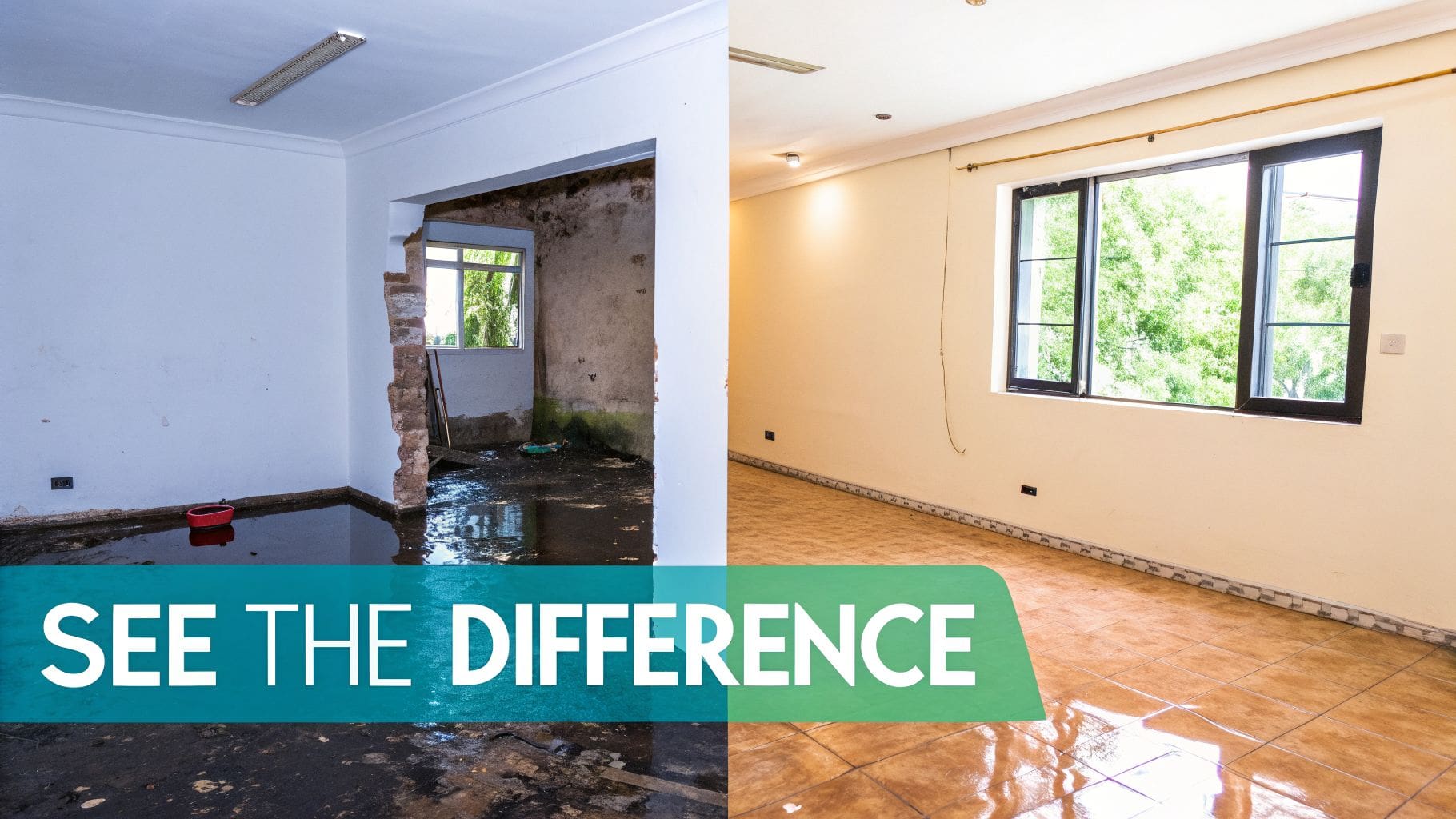
When a homeowner can see the dramatic transformation of a flooded basement you restored, it removes doubt. It proves you can handle their specific problem. Seeing is believing, and for a customer in a stressful situation, visual evidence provides powerful reassurance.
A potential customer doesn’t just want to know you can do the job. They want to see that you’ve done it before, and done it well. Your portfolio is your resume for their specific project.
How to Implement This:
Showcasing your work isn’t just about posting random photos. It’s about strategically presenting proof to convert visitors into leads.
- Make It Standard Practice: Get into the habit of taking before and after photos for every single job.
- Organize Your Portfolio: Group projects by service type (“Septic Installations,” “Land Clearing”) and location.
- Add Context to Images: Add a short description, such as “Foundation Excavation in Delaware, OH – Completed in 2 Days.”
- Optimize Your Images: Large image files will slow down your site. Make sure all photos are compressed for the web to ensure your page loads quickly.
- Get Permission: Always get written permission from the homeowner before posting images of their property.
8. Clear Service Descriptions with Problem-Solution-Benefit Structure
Simply listing your services isn’t enough. People search for solutions to problems, not a catalog of contractor jargon. One of the best practices for landing pages is structuring your service descriptions around a simple narrative: identify the customer’s problem, present your specific solution, and state the benefit they receive.
A visitor with a failing septic system doesn’t want a lecture on leach fields. They want to know you can stop the expensive, messy disaster in their yard. Your website content must reflect this reality. This problem-solution-benefit approach connects your service directly to the customer’s need.
A customer doesn’t buy ‘excavation services.’ They buy a level foundation for their dream home. Frame your services around the outcome, not the process.
How to Implement This:
To create service descriptions that convert, you need to think like your customer. Start with their pain.
- Lead with the Problem: Instead of a heading like “Septic System Inspections,” use “Prevent a $10,000+ Septic System Failure.” This grabs their attention.
- Use the P-S-B Framework:
- Problem: “Water damage from a burst pipe spreads within hours, causing mold and structural issues.”
- Solution: “Our 24/7 rapid response team arrives with industrial-grade drying equipment to immediately contain the water.”
- Benefit: “You minimize property loss, prevent mold growth, and avoid a much more costly restoration project.”
- Speak Their Language: Use “you” and “your.” Avoid technical jargon. Instead of “hydro-jetting,” say “clearing stubborn blockages with high-pressure water.”
- Answer Key Questions: Briefly address common concerns like “How long does it take?” This builds trust.
9. Prominent Contact Information and Multiple Contact Methods
When a potential customer lands on your page for an urgent need, they are not there to browse. They are there to solve a problem. One of the most critical best practices for landing pages is making it incredibly easy for them to contact you. If your phone number is buried, you are forcing them to work. They will simply call a competitor instead.
For a contractor, the phone is the primary lead-generation tool. Customers with a problem want to talk to a person who can fix it now. Successful landing pages place the phone number in the most prominent location: the header. Offering multiple contact methods, such as a simple form, also captures leads from people who may be unable to call. The phone must always be the star.
A customer doesn’t want to hunt for your contact details. They want a solution. Putting your phone number front and center isn’t a design choice; it’s a direct invitation to solve their problem and give you the job.
How to Implement This:
To turn visitor interest into a phone call, you must remove every possible obstacle. Your contact information should be impossible to miss.
- Make the Phone Number King: Place your phone number at the very top of the page, in the header.
- Enable Click-to-Call: Ensure every phone number on your site is a clickable link (
tel:) so mobile users can call you with a single tap. This is non-negotiable. - Offer Multiple Options: Include a simple contact form with 3-5 fields maximum (Name, Phone, Service Needed). Some customers prefer to type.
- Display Hours of Operation: Clearly state your business hours near your contact information. If you offer 24/7 emergency services, make sure that is in bold text.
10. Clear Pricing Transparency and Free Estimate Offers
One of the biggest hurdles that stops a potential customer from calling is the fear of an unknown, massive bill. Cost uncertainty is a major point of friction. The most effective way to address this is with a prominent ‘Free Estimate’ offer. This simple act reduces hesitation.
For most construction jobs, posting a flat rate is impossible. Instead of a complicated price list, your page should make getting a quote feel easy and risk-free. A strong page features a bold call to action like “Get Your Free, No-Obligation Estimate Today” right next to the phone number and contact form. This removes the guesswork.
A customer who is worried about cost is less likely to pick up the phone. By offering a free estimate, you are not just offering a price; you are offering a safe first step in solving their problem.
How to Implement This:
Make your free estimate offer the most obvious next step. Make it feel like an easy decision.
- Make it a Primary Call to Action: Your buttons and links should say “Get a Free Estimate” or “Request a Free Quote,” not “Contact Us.”
- Remove the Risk: Use phrases like “No-Obligation” or “Free Site Visit” to reassure customers they are not committing to anything.
- Explain the Process: Briefly mention what the estimate process involves. For example: “Get a Free Estimate: We’ll schedule a quick site visit to provide an accurate, written quote.”
- Place it Prominently: Your free estimate offer should appear above the fold, near your contact form, and at the end of the page.
10-Point Landing Page Best Practices Comparison
| Item | Implementation Complexity 🔄 | Resource Requirements ⚡ | Expected Outcomes 📊⭐ | Ideal Use Cases 💡 | Key Advantages ⭐ |
|---|---|---|---|---|---|
| Crystal-Clear Value Proposition Above the Fold | Medium — requires customer research and headline testing 🔄 | Low–Medium — copywriter + A/B tests ⚡ | Reduces bounce ~20–30%, improves qualification 📊 ⭐⭐⭐ | All landing pages, mobile-first ads for contractors 💡 | Immediate clarity; faster visitor qualification ⭐ |
| Strategic Use of Social Proof and 5-Star Reviews | Medium — collect, verify, and display reviews 🔄 | Medium — review management, photo permissions ⚡ | Large conversion lift (≈34–90%) when authentic 📊 ⭐⭐⭐⭐ | New-customer acquisition; high-trust purchases 💡 | Reduces perceived risk; SEO + credibility boost ⭐ |
| Optimized Call-to-Action (CTA) Buttons with Clear Next Steps | Low–Medium — placement and copy testing 🔄 | Low — design, implementation, A/B testing ⚡ | Increases calls/conversions ~20–50% (mobile boost) 📊 ⭐⭐⭐⭐ | Emergency services, mobile-heavy visitors 💡 | Low friction; measurable conversion gains ⭐ |
| Service-Specific City and Location Pages | High — many pages, local SEO complexity 🔄 | High — scalable content creation & maintenance ⚡ | Improves local rankings & CTRs (≈40–60%) 📊 ⭐⭐⭐⭐ | Multi-area contractors expanding across markets 💡 | Local visibility and cost-efficient organic growth ⭐ |
| Mobile-First Design and Fast Page Load Speed | High — technical optimization and testing 🔄 | Medium–High — dev, hosting, CDN, image work ⚡ | Mobile conversions +25–40%, speed improves rank 📊 ⭐⭐⭐⭐ | Rural/field users; mobile-first search behavior 💡 | Faster UX, lower bounce, SEO advantage ⭐ |
| Trust Signals, Certifications, and Licensing Badges | Low–Medium — gather and verify credentials 🔄 | Low — document management, periodic updates ⚡ | Increases credibility for high-ticket jobs (+40–60%) 📊 ⭐⭐⭐ | High-value contracts, commercial or regulated work 💡 | Reduces hesitation; differentiates from unlicensed rivals ⭐ |
| Compelling Before/After Imagery and Project Portfolio | Medium — photography, permissions, gallery UX 🔄 | Medium–High — photographer, optimization, storage ⚡ | Visual persuasion increases conversions ~30–50% 📊 ⭐⭐⭐⭐ | Visual trades (restoration, excavation, remodeling) 💡 | Demonstrates quality; highly shareable proof ⭐ |
| Clear Service Descriptions (Problem→Solution→Benefit) | Low–Medium — research and structured copywriting 🔄 | Low — copywriter and FAQ content ⚡ | Improves comprehension and persuasion +25–40% 📊 ⭐⭐⭐ | Complex technical services needing explanation 💡 | Reduces objections; quicker decision-making ⭐ |
| Prominent Contact Information & Multiple Contact Methods | Low — placement and channel setup 🔄 | Low — phone, form, optional chat/SMS staffing ⚡ | Increases contact volume +15–40%; more phone leads 📊 ⭐⭐⭐ | Lead-driven sites and emergency service pages 💡 | Removes friction; captures varied contact preferences ⭐ |
| Clear Pricing Transparency & Free Estimate Offers | Low–Medium — policy, copy, optional quoting tools 🔄 | Low — content plus possible quoting/finance tools ⚡ | Raises qualified leads +20–40%; reduces sticker shock 📊 ⭐⭐⭐ | Services with variable pricing; lead qualification 💡 | Builds trust; filters better-fit prospects early ⭐ |
Stop Guessing and Start Building a System
These are not just suggestions. They are the essential building blocks for turning online visibility into paying jobs. Many contractors have a website, but a pretty website sitting alone is like a powerful engine with no fuel. It looks good but goes nowhere. Websites do not create their own traffic.
The real problem is invisibility. You might be the go-to expert in your hometown, but just ten miles away, you are nowhere to be found. When a homeowner searches for “[your service] near me,” you don’t show up. The lead goes to a competitor who does. This is the visibility gap that keeps good contractors stuck.
A Lead Machine is a System, Not a Website
Big companies don’t hope for leads. They buy visibility and direct it to a machine built to convert. You can do the same. A Lead Machine is a website built to turn traffic into calls. It is designed for one goal: leads. This is the first part of a two-step system.
The second part is ads. Ads create visibility. They put you in front of buyers searching right now and send them to your Lead Machine.
- Your Lead Machine Website: This is the asset. It’s built to capture demand in every city you service and turn it into phone calls. It is not just a pretty website.
- Paid Ads: This is the fuel. Ads create immediate visibility, putting your business in front of high-intent buyers exactly when they are searching.
Websites without traffic don’t work. Ads without conversion waste money. Lead Machines + ads work together as a system. This gives you predictable leads, which gives you control. No control means your business is fragile. For contractors looking to boost their online presence and consistently convert visitors into paying clients, understanding effective digital marketing strategies is crucial. You can explore more on this topic in this guide on Digital Marketing for Roofers from TruTec.
You think that customers can find you, but if customers don’t find you, nothing else matters. Lead Machines are built to fix that.
Ready to stop guessing and build a true lead-generation asset for your business? The Cherubini Company builds Lead Machines for contractors, implementing these exact principles to turn invisibility into a steady stream of calls and jobs. We are flat-rate and transparent. See how we build systems that give you control over your lead flow at The Cherubini Company.